Manufacturing ERP

Plan, make, ship.
The complete ERP for small manufacturers.

Qualis ERP is an online manufacturing ERP for small and mid-sized manufacturers: sales, purchasing, inventory, production, quality, maintenance and invoicing in one system, in English and French. Free to start.

Explore the apps

Every part of your plant,
connected in one ERP

Manufacturing

Plan manufacturing orders and follow every operation on the shop floor.

Learn more

Inventory

On-hand, reserved and available stock in every bin, with lot and serial number traceability.

Learn more

AI assistant

Ask a question in plain words and get the answer from your own data.

Discover

Quality

Inspections, non-conformities and corrective actions (CAPA) in one place.

View module

Purchasing

Order from suppliers and receive each line as it arrives.

View module

Sales

Follow each order from quote to delivery and invoice.

Learn more
Qualis on screen

One app, one story, filmed for real

Each film follows a small company through a real job in Qualis, screen by screen, with the people who do the work. Pick an app and press play.
Make

20 bikes for the Riad

Cycles Atlas

Length 4:41In French, with subtitles

Chapters

Watch on YouTube(opens in a new tab)

Pick the apps your plant needs

Everything you need to know, on one screen

Dashboards, lists and forms built for speed. Filter, export and act without leaving the page, from the office or the shop floor.

Create an account
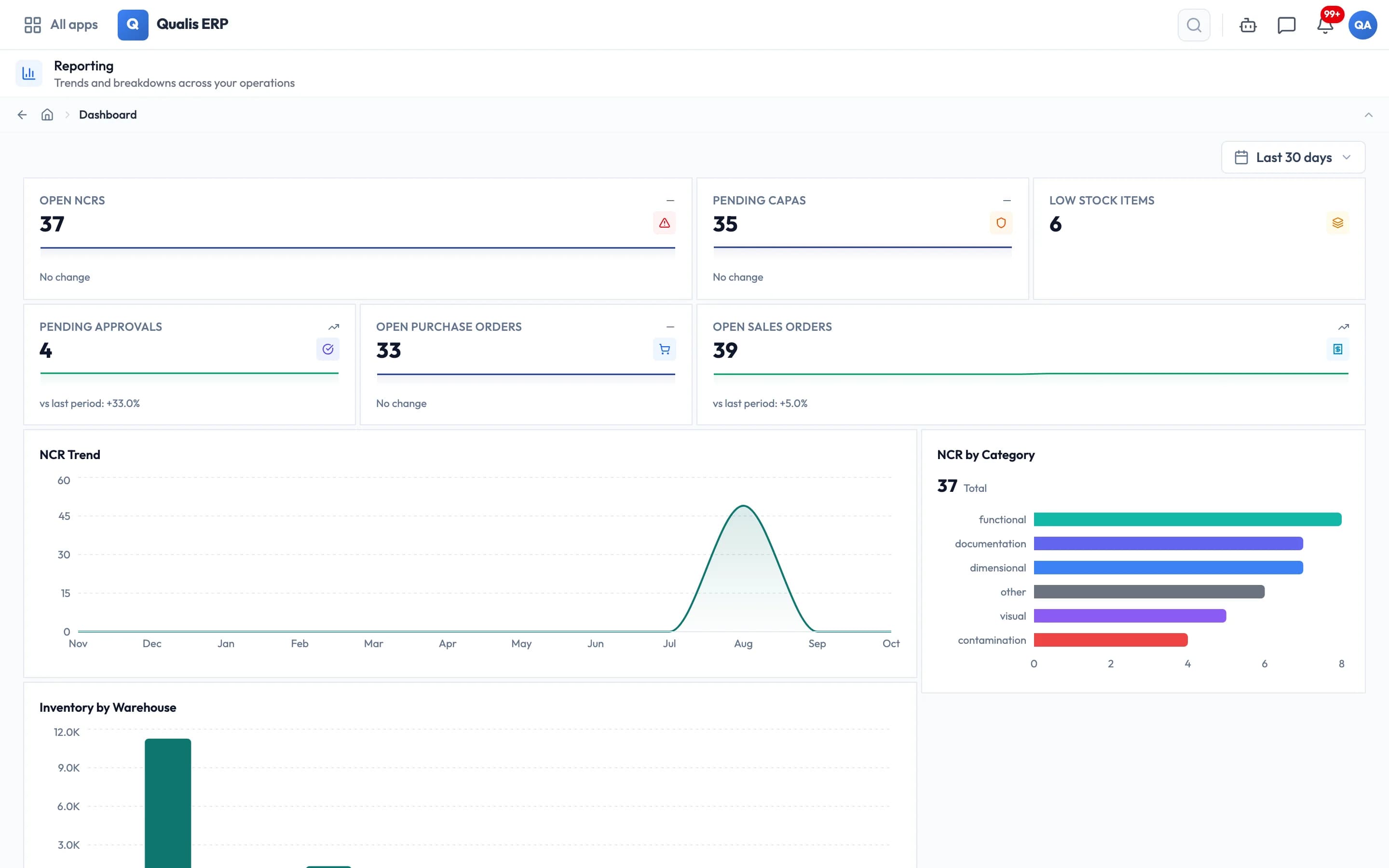
Qualis reports dashboard showing open non-conformities, purchase orders and inventory by warehouse

Help from day one

  • Import from spreadsheets

    Bring your products, customers and suppliers over from Excel, saved as CSV.

  • Support from the people who build it

    A team based in Casablanca answers your questions in English or French, whether your plant is in Morocco, France or anywhere else.

  • French and English

    Every screen in both languages, switch at any time.

  • Nothing to install

    Works in the browser, in the office and on the shop floor.

Built for every role in the plant

See what changes for each team when the whole plant works in one system.

Track orders and production progress. Reviewing production means gathering updates from several departments.

  • Review manufacturing orders and their statuses
  • Open an order to review its operations and materials
  • Track produced quantities and scrap

Track inspections and corrective actions. Inspection results and corrective actions are kept in separate places.

  • Link non-conformances to corrective actions and follow-up
  • Root cause tools built in: 5-Why, Fishbone, Pareto
  • Review inspection decisions and lot quality status

Check inventory by location. Investigating a stock discrepancy means finding the movements and recent counts.

  • On hand, reserved and available for every bin and every lot
  • Organize cycle counts by location
  • Review the source and destination of stock movements

Manage purchasing and receipts. You find out a part is missing when the line has already stopped.

  • Prepare replenishment orders using your stock rules
  • Review received quantities and related inspections
  • Find orders and deliveries by supplier

Track customer orders. You promise a date, then call the plant to see if it was even possible.

  • Review stock reservations linked to orders
  • Compare ordered, available and delivered quantities
  • Find orders and invoices linked to a customer

Manage invoices and fiscal periods. Closing a period requires reconciling invoices, payments and costs.

  • Review material and labor costs for manufacturing orders
  • Manage invoices, credit notes and payment reminders
  • Manage the opening and closing of fiscal periods

Plan equipment maintenance. Breakdowns run your day, and planned work keeps slipping.

  • Schedule maintenance using meter readings
  • Review maintenance history and costs
  • Attach a photo to a maintenance request

1 / 8